
Smart lighting is great when it just works in the background. Lights turn on when you walk in, turn off when you leave, and you do not have to touch a switch. The problem is that many motion sensors look bulky and out of place on a carefully designed wall or ceiling. In this guide, we will walk through why hidden motion sensing matters, what types of tech help you get there, and how to build your own “invisible” setup with simple, practical steps.
Why Hidden Motion Sensors Matter
1. Hidden sensors protect the look of your rooms
Hidden motion sensors matter because they let you keep the clean, calm look of your home while still enjoying smart lighting. Modern homes focus on simple lines and uncluttered walls. People care about:
- Storage that hides mess instead of showing it.
- Flat doors, simple trim, and calm color palettes.
- One or two main design features, not a lot of small objects fighting for attention.
When the sensor is visible and bulky, it pulls attention away from your design choices. When the sensor is hidden, the room looks the way you planned, and visitors notice your furniture, art, or lighting style instead of a plastic device on the wall.
2. Hidden sensors make smart lighting feel more natural
Hidden motion sensors also matter because they change how smart lighting feels day to day. When the sensor is out of sight, you focus on how the light behaves, not on how the hardware looks. In a good setup:
- You walk into a hallway or entry and the light comes on at a comfortable level without you thinking about it.
- You get up at night and a low, gentle light turns on instead of a bright glare in your eyes.
- You leave a room and the lights turn off after a short delay, so you are not wasting power.
Because you do not see the sensor, the whole experience feels like part of the house, not a gadget you added later. The technology supports your routine without reminding you of itself all the time.

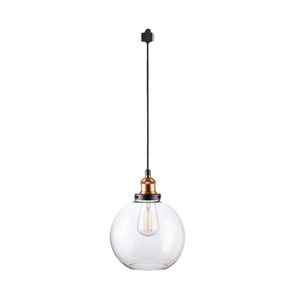
1 Pcs J-Type Track Adapter Extension Cord with 2-Prong Female Plug - 5.9Ft Retro Black Cord for Lamps, Indoor Lighting Accessory Part DIY Project
3. Hidden sensors avoid common problems with old-style designs
Hidden motion sensors matter as an upgrade from older, more visible designs. Traditional sensors were built for function first and often create visual and practical issues:
- The housings are large and rounded, so they stand out on a wall or ceiling.
- Wiring can run on the surface in conduit or visible cable, especially in older homes, which adds clutter.
- Standard bright white plastic clashes with darker paint, patterned wallpaper, or wood paneling.
- Limited mounting options force you to put the sensor where it works technically but looks bad.
These drawbacks push many people to skip motion sensors altogether, even if they want the convenience. Newer, more discreet options solve this conflict. By hiding or separating the sensor, you keep the benefits of automatic lighting while avoiding the look and layout problems that came with older devices.

Ways to Make Motion Sensing Less Visible
Tuck sensors into corners and furniture
The first and simplest option is to hide standard motion sensors within the space you already have. You can do this in a few practical ways:
- Place the sensor near ceiling corners or along crown molding so the edges soften its outline and make it less noticeable.
- Mount the sensor above or beside a door frame, where people already expect to see hardware and small devices.
- Set the sensor on top of tall furniture, such as a cabinet or bookcase, as long as it still has a clear view of the room.
- Match the sensor color to your wall or use a paintable cover if the manufacturer allows it, so it visually blends into the background.
This keeps costs low because you use regular sensors in smarter locations, and you simply think more carefully about where they sit in the room.
The main risk is that if you push the sensor too far into a corner or behind objects, it may miss motion and fail to trigger the light. To avoid that problem:
- Test the coverage by walking through the space at different distances and angles to see where the light turns on.
- Angle the sensor slightly downward so it detects movement where people actually walk, not just at head height.
- Avoid placing the sensor behind glass, thick curtains, or very deep recesses, since these block or weaken detection.
This method is a good starting point if you do not want to touch wiring or replace existing fixtures.
Use fixtures with built-in sensors
The second option is to choose lights and switches that already include motion sensors. In this case, the sensor is part of the fixture instead of an extra box on the wall. Common examples are:
- Recessed ceiling lights that hide a small motion sensor in the trim.
- Wall switches with integrated occupancy sensors that still look like normal switch plates.
- Low-profile surface-mount sensors that sit nearly flush with the ceiling.
Because the sensor shares a housing with the light or switch, the whole unit looks intentional. It is simply “the light” or “the switch,” not a separate gadget added later.
The main benefits of built-in sensors are:
- The room looks cleaner because there are fewer visible devices and shapes on the walls and ceilings.
- Finishes and shapes usually match across a fixture line, so everything feels consistent and coordinated.
- There is less visible wiring because the sensor and light live in the same electrical box.
There are also a few trade-offs to consider:
- These options work best during a remodel or new build when walls and ceilings are already open for wiring.
- Once installed, the placement of the fixture and sensor is basically permanent, so moving it later is more work.
- You must plan ahead and think about coverage, wiring, and aesthetics at the same time before you order and install.
If you are already replacing several fixtures, this approach can give you a clean, “built-in” smart look without adding extra devices to your walls.

Try wireless split-sensor lights (like Kiven-style kits)
The third option, and often the easiest for DIY users, is a wireless split-sensor setup. In this design, the motion sensor and the light are separate pieces that talk to each other wirelessly.
| Part of the system | What it does in simple terms |
| Light fixture | Receives wireless signals and turns on or off when the paired sensor reacts. |
| Motion sensor | Detects movement and sends a signal to the light when someone enters the area. |
Because the sensor no longer has to sit next to the wiring, you gain a lot of freedom in how you place it.
Key advantages of wireless split-sensor lights include:
- You can hide the sensor near a ceiling edge, in a high corner, or above a doorway, where most people will not notice it.
- You can mount the light in the best visual spot for your design and let the sensor handle coverage from a better angle.
- Many systems use adhesive pads or small screws, which is helpful for renters and for anyone who does not want to cut into walls.
- If the coverage does not feel right, you can move the sensor a little instead of paying an electrician to move wiring.
Some brands, such as Kiven, build this idea into simple plug-in or wall-mounted lighting. You might mount a clean, minimal wall light at a normal height and tuck the small motion sensor near the ceiling so the wall stays calm but the light still turns on automatically when you walk by.
When you compare wireless split-sensor kits, it helps to check a few key features:
- Make sure the sensor has adjustable time delay, so you can decide how long the light stays on after motion stops.
- Look for adjustable range or sensitivity settings that reduce false triggers from distant movement or pets.
- Choose a kit with a day and night setting, so the light only comes on when the room is actually dark.
- Check the expected battery life for the sensor, so you are not replacing batteries too often.
- Read the pairing instructions and confirm that the process is clear and simple enough for you to follow.
With the right wireless kit, you can keep sensors almost out of sight while still enjoying reliable, automatic lighting in everyday spaces.

Step-by-Step: Set Up Your Own “Hidden” Motion Lighting
Let’s walk through a simple plan you can follow in a hallway or entry. You can use the same approach in other spaces like stairways, bathrooms, or kitchen walk paths.
Plan your lights and sensor spots
A short planning session makes the whole project smoother.
You can:
- Decide which paths you want to automate, such as the route from the bedroom to the bathroom, or from the front door to the living room.
- Stand in each space and notice where your eyes go first. Avoid placing visible hardware in those “high attention” spots.
- Choose fixture locations based on symmetry, wall space, and furniture, without worrying about the sensor yet.
- Identify sensor lines of sight. The sensor should catch you early as you enter, not halfway through the room. Corners near doorways and ceiling edges are often good choices.
- Take quick photos and mark possible fixture and sensor locations on your phone screenshots.
Once you have a rough plan, you can decide if a wireless split-sensor solution, a built-in fixture, or a cleverly hidden standard sensor works best in each space.
Set up a wireless split sensor hallway
Here is what a practical Kiven-style setup might look like in a hallway.
1. Mount the light fixture
- Pick a wall or ceiling light with a simple design and a finish that works with your hardware and trim.
- If you are using a plug-in wall light, mount it slightly above eye level and route the cord clearly, either straight down or along trim or baseboard.
- If it is hardwired, follow all safety rules and bring in a licensed electrician if needed.
2. Place the motion sensor where it is hard to see but easy to work
Good options include:
- A high corner of the hallway, near the ceiling, angled toward where you enter.
- The top edge of a door frame facing into the hallway.
- On top of a tall cabinet or wardrobe, pointing toward the walking path.
Avoid spots where:
- Direct sunlight hits the sensor for long periods.
- Heating vents blow air right onto the sensor.
- Curtains, plants, or large furniture block the view.
Start with removable adhesive so you can adjust the position without leaving marks.
3. Pair and fine-tune the system
Most kits will have steps similar to these:
- Put the light into pairing mode following the manual.
- Turn on the motion sensor and complete the pairing steps.
- Set the time delay. For hallways, a delay between 30 seconds and 3 minutes works well.
- If you have a day/night setting, turn it on so the light only activates when it is dark.
Then test the setup by walking through the hallway at different speeds and at different times of day. If the light feels late or stays on too long, make small changes to sensor angle, position, or time delay.
Clean up the details so it looks intentional
Even when the sensor is hidden, a few small details help the whole setup look more finished.
You can:
- Use cord covers or paintable raceways that match your wall color for any visible cables.
- Keep all lights in a hallway at the same height and spacing, so the layout looks planned.
- Choose simple brackets and mounting plates that do not add extra visual clutter.
- Wipe down fixtures regularly, since dust and smudges draw the eye.
If you choose brands and products that already focus on simple, clean design, you will need fewer tricks. The goal is that once everything is installed, visitors notice the light and the comfort, not the hardware that makes it happen.
Try One Hidden Motion Light at Home
Hidden motion sensing does not have to be a big project. With a bit of planning and the right hardware, you can set up lighting that turns on when you need it and disappears into the background the rest of the time. Start small: choose one hallway, entry, or bathroom, place the sensor where it is hard to see, and let the light do the work. Once you live with it for a few days, you will see how smart lighting feels much better when you barely notice the tech at all.